
Professional Exposure Adjustment Services
for Balanced, Natural-Looking Photos
Camera settings and lighting conditions can leave exposure problems that need careful correction. Underexposed shadows may lose detail, overexposed highlights may clip, and mixed indoor and outdoor light can create uneven tonal ranges that require image-specific review.
Clarity Edit’s professional exposure adjustment service uses a human-led workflow to correct tonal problems across individual images and complete batches, helping every photo look balanced, consistent, and ready for its intended use.
What Is Exposure Adjustment in Photo Editing?
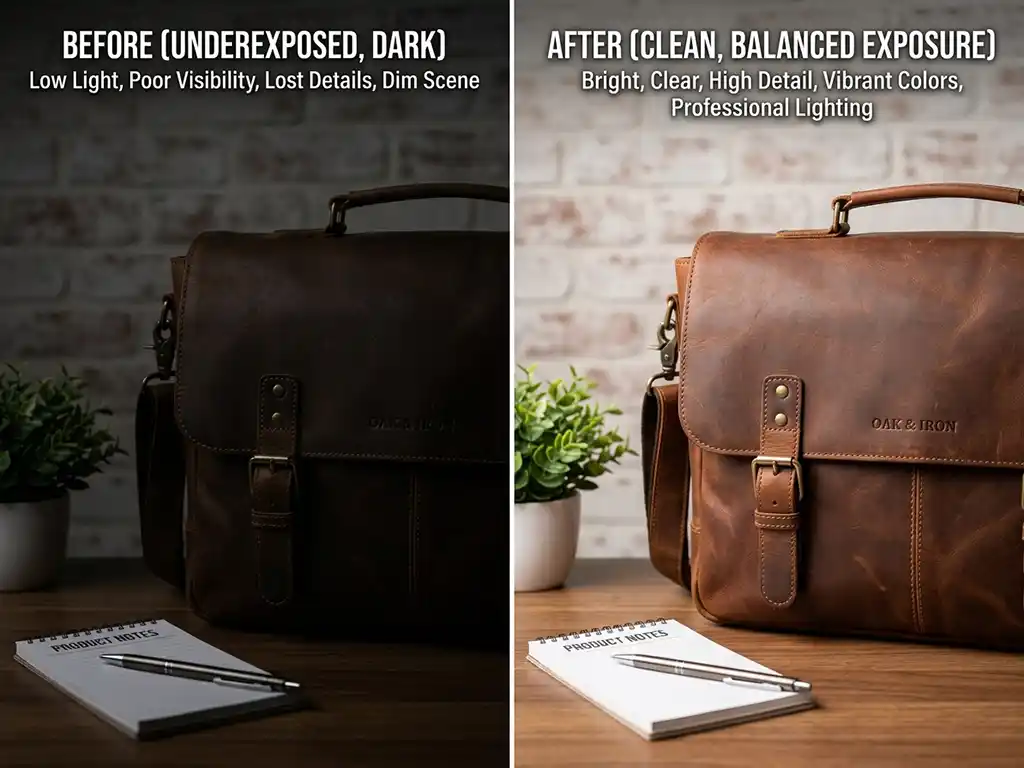
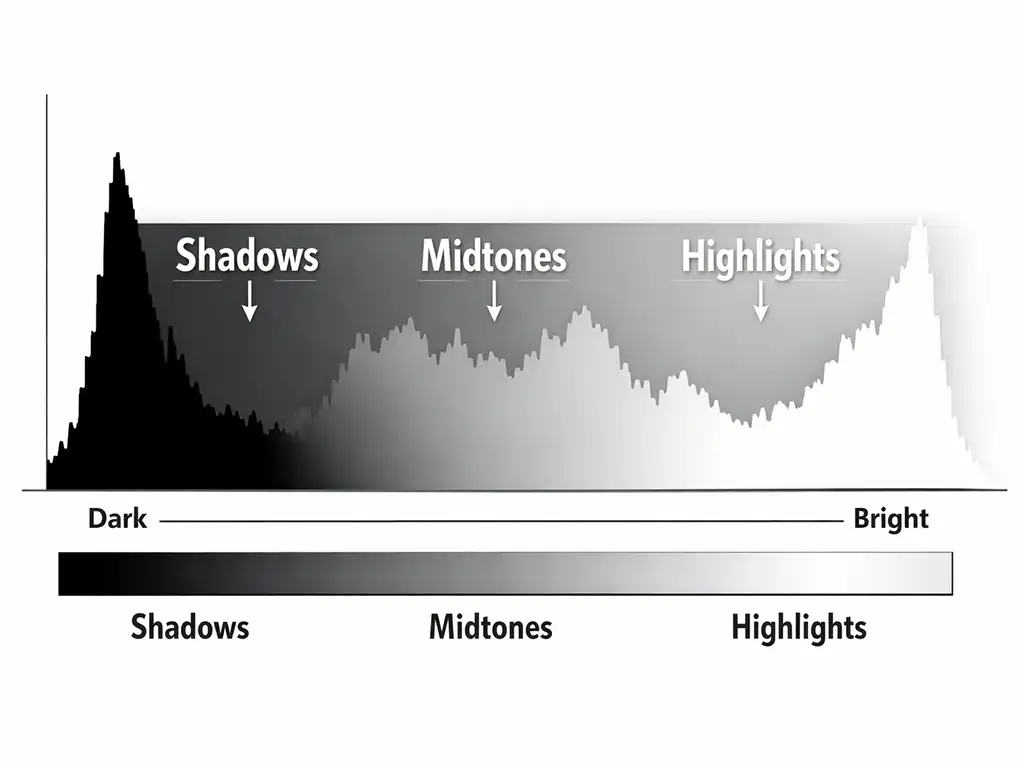
Exposure adjustment is the process of correcting the overall brightness and tonal balance of a photograph — recovering detail in overexposed highlights, lifting shadow areas that have gone too dark, and setting the correct contrast relationship between a photo’s brightest and darkest points.
A camera’s metering system calculates exposure based on the average light in a scene. That works well in flat, even lighting. It breaks down in high-contrast situations: a subject backlit by a bright window, an outdoor shoot transitioning between sun and shade, a product catalog shot under slightly different studio conditions from one batch to the next. In all of these situations, the camera makes a compromise — and that compromise shows up as inconsistency, lost shadow detail, or clipped highlights in the final image.
Exposure adjustment corrects those issues at the global level, meaning adjustments affect the entire image rather than a specific area or subject. That separates it from photo retouching, which addresses localized detail — skin, fabric texture, surface imperfections. Exposure adjustment works on the whole frame first, establishing a correct tonal foundation before any more detailed editing begins.
It is also distinct from color correction, which addresses hue, saturation, and color accuracy after the tonal range has already been set. Correct exposure comes first. Get that layer wrong, and every color decision made afterward inherits the same problem.
Why Choose Clarity Edit for Exposure Adjustment
Human-Edited Quality
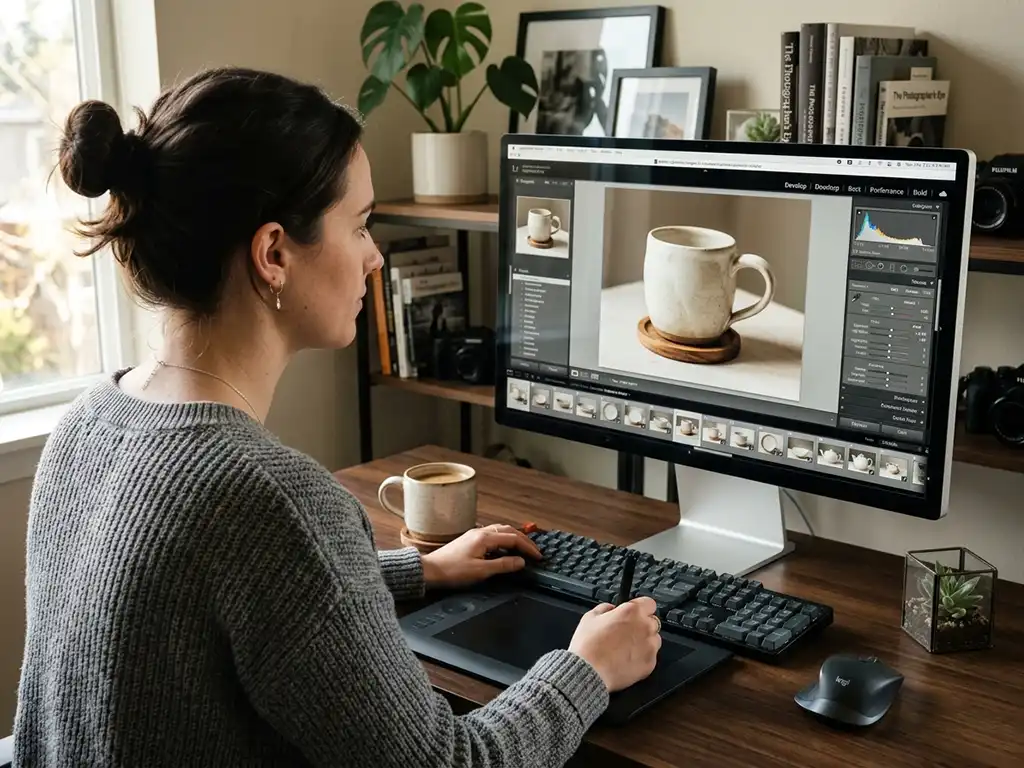
Every exposure adjustment at Clarity Edit follows a human-led workflow in Adobe Photoshop or Adobe Lightroom. A trained editor evaluates the image, makes the key tonal decisions, refines the result, and remains responsible for final quality control.
Carefully tested settings, presets, or AI-assisted tools may support suitable technical steps, especially in consistent batches. They serve as controlled starting points rather than substitutes for image-specific review; an experienced editor remains responsible for highlights, shadows, contrast, and tonal consistency across the set.
Fast Turnaround
Most exposure adjustment orders are returned within 24 hours. Larger batch orders receive a clear, confirmed timeline before work begins — no surprise delays after you have already sent the files. For high-priority deadlines, rush delivery options are available on request.
Affordable, Transparent Pricing
Exposure adjustment starts at $0.40 per image on the Starter plan, dropping to $0.30 per image on Volume Pro for bulk batches. Large-scale and RAW-based workflows receive custom pricing. Full details are in the pricing section below, and you can always request a custom quote for specific volume requirements.
Accuracy and Attention to Detail
A slightly off exposure that looks acceptable on one screen will look visibly incorrect on a calibrated monitor, a printed catalog, or a high-resolution display. Before delivery, every adjusted image is checked against a calibrated reference for tonal accuracy, consistent exposure across the full batch, and correct detail in both highlight and shadow areas.
Secure File Handling
All files are transferred through encrypted upload links. Images are never shared with third parties and are removed from active systems after project completion on request. That applies to every order — not just enterprise clients.
Types of Exposure Adjustment We Offer
Brightness and Contrast Correction
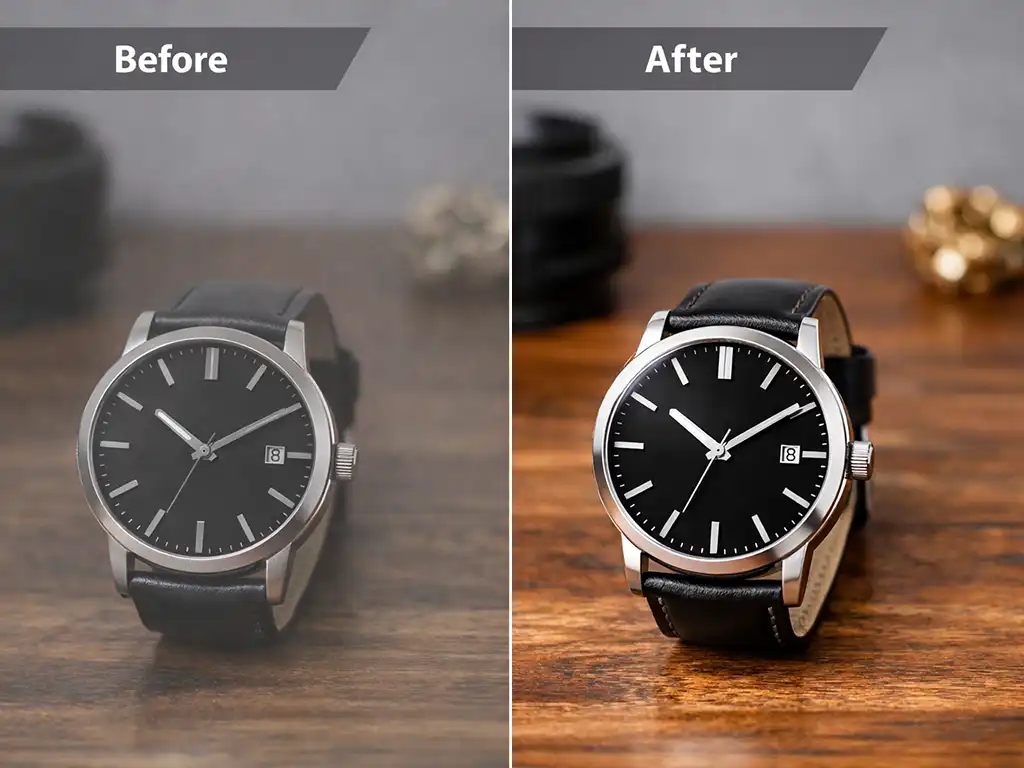
Brightness and contrast correction adjusts the overall lightness of an image and the relationship between its tonal extremes. Increasing brightness lifts mid-tones without affecting the black point. Adjusting contrast stretches or compresses the distance between the darkest and lightest tones, restoring depth to flat images or reducing harshness in high-contrast ones.
This is the most common form of exposure adjustment for product photography, where studio shots frequently come out slightly underexposed or with insufficient contrast to show texture and surface detail clearly.
Highlights and Shadow Recovery
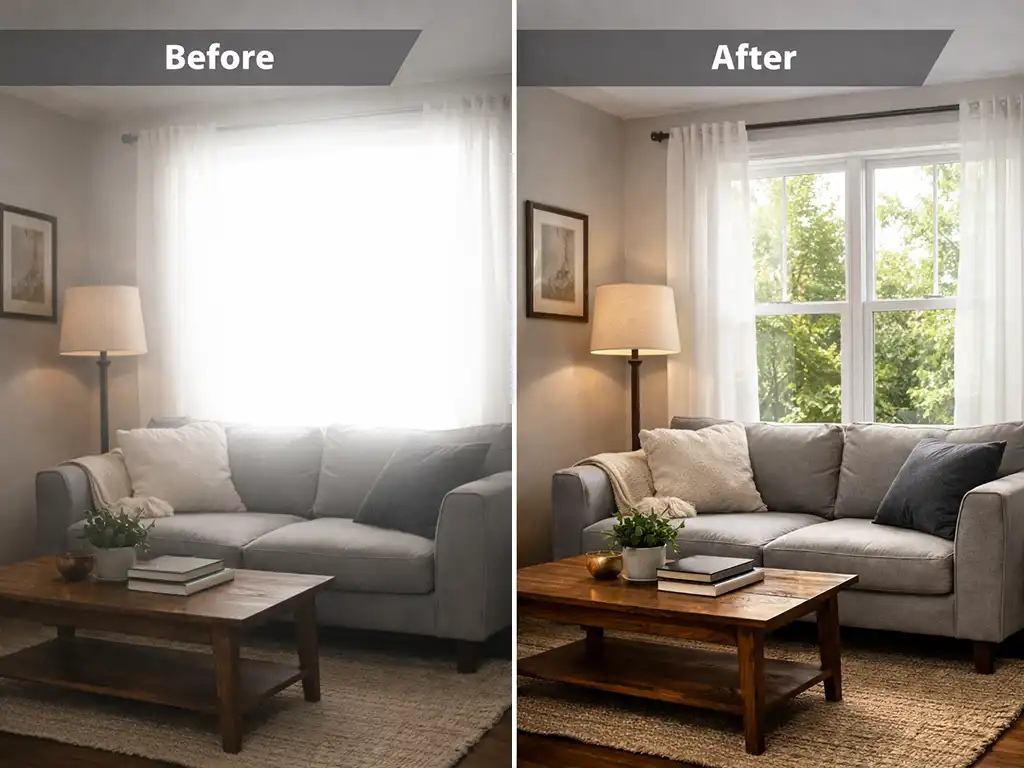
Highlights and shadow recovery works at the outer limits of an image’s tonal range. The highlights slider pulls back detail in blown-out bright areas — a white background that has merged with a light-colored product, a window that has gone completely white in an architectural shot, a face lit too brightly by direct flash. The shadows slider lifts detail from areas that have gone too dark — the underside of a product, the interior of a room with bright windows, or background detail lost in a low-light portrait.
Both adjustments are made with reference to the histogram to avoid clipping — meaning no detail is lost in the correction process. This is covered in more technical depth by Adobe’s guide to shadows and highlights in photography.
Tone Curve and Mid-tone Adjustment
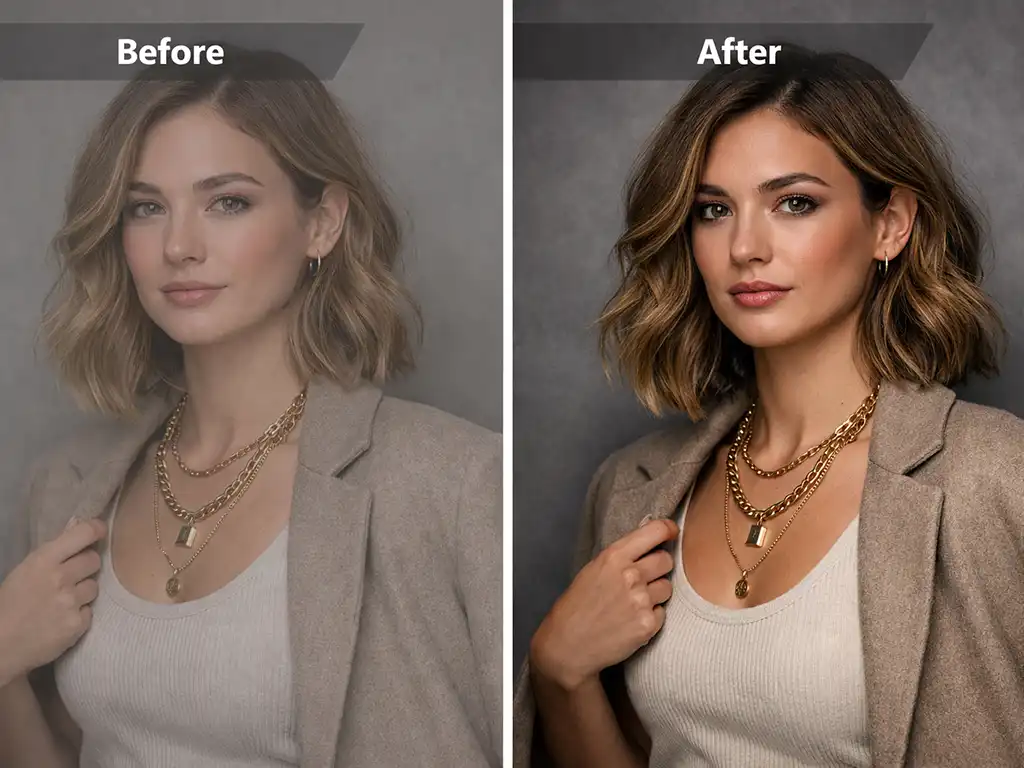
A tone curve gives precise control over every tonal region of an image: shadows, low midtones, midtones, high midtones, and highlights — each adjustable independently on a single curve.
An S-curve adjustment is the most common application: lifting the high midtones while lowering the low midtones adds contrast and depth to a flat image without clipping either the brightest or darkest areas. Tone curve work is used where a simple brightness or contrast slider produces an acceptable result but not the precise tonal balance a particular image needs — especially for fashion, portrait, and commercial photography.
Multi-Exposure Blending for High Dynamic Range
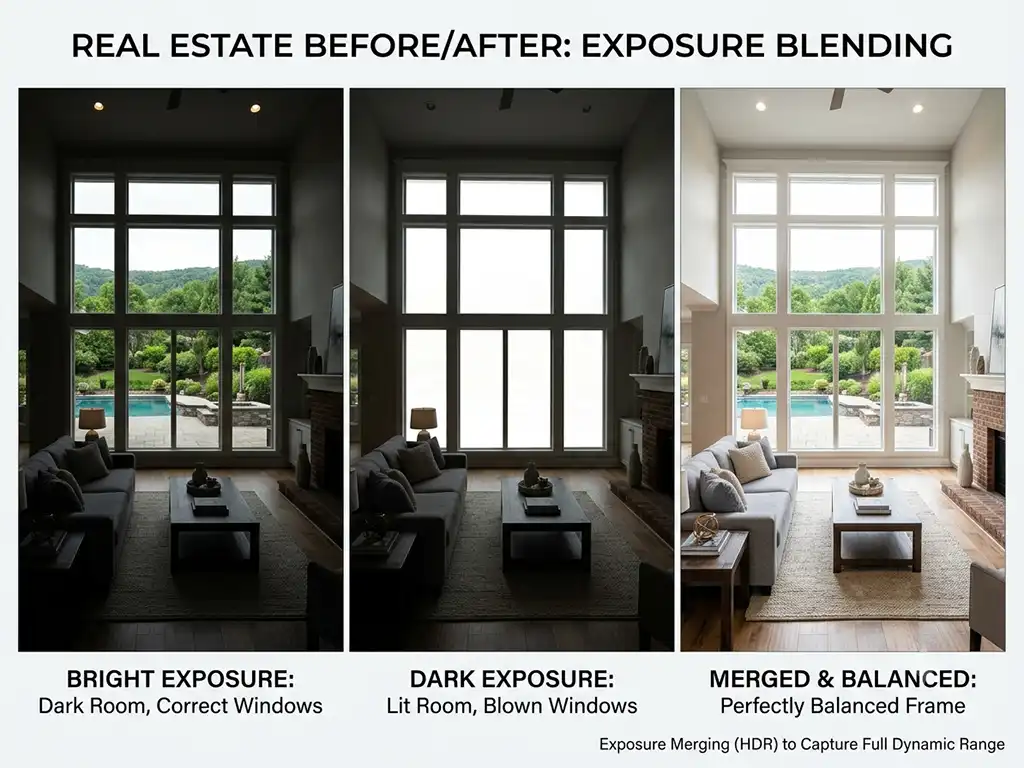
Some scenes — real estate interiors with bright windows, landscape photos at golden hour, architectural exteriors in full sun — contain a tonal range that no single camera exposure can capture accurately. One exposure balances the room; the windows blow out. A second exposure captures the window view; the room goes dark.
Multi-exposure blending combines two or more exposures of the same scene, taking the correct tonal information from each one and merging them into a single, balanced image. This technique forms the core of real estate photo editing, where interior and exterior detail must both read clearly in the same frame.
Industries We Serve

Ecommerce Businesses
Product photos need exposure consistency across an entire catalog. A customer comparing ten product images should see one tonal standard — not ten slightly different brightness levels that make the catalog look like it was assembled from different shoots. Exposure adjustment brings every product image to the same tonal baseline before listing. More detail on product-specific workflows is available on our ecommerce image editing page.
Photography Studios and Photographers
Wedding, portrait, and event photographers process hundreds or thousands of images per shoot. Exposure adjustment across an entire gallery establishes a consistent tonal look before any individual retouching begins. Delivering a gallery where every image sits at the same exposure level is faster for individual retouching and gives clients a more polished final set.
Fashion Brands
Look-book and catalog images require accurate, consistent exposure to represent garments correctly. A difference in brightness between a product on a model and the same product on a white background reads as a color inconsistency — even when the color is correct. Consistent exposure adjustment across both shot types removes that problem before the images go to print or web.
Creative and Marketing Agencies
Agencies managing client campaigns need every visual asset to match brand tone and color standards. Exposure adjustment applied consistently across a full campaign asset set means product shots, lifestyle images, and editorial photos all hold the same tonal relationship — reducing back-and-forth between the editing team and the client.
Real Estate
Property listing photos require correct exposure before any HDR blending, sky replacement, or virtual staging begins. An incorrectly exposed source image introduces noise and color inaccuracies that compound through every subsequent edit. Our real estate photo editing services build directly on this foundation.
Our Exposure Adjustment Workflow
Upload Your Images
Send your photos through our secure upload system using WeTransfer, Dropbox, or Google Drive, along with any reference notes on brightness targets, color temperature, or output format requirements. We accept JPEG, PNG, TIFF, PSD, and most RAW formats.
Requirement Analysis
An editor reviews your files and instructions before work begins. For large batches, this step prevents a 500-image order from being processed incorrectly halfway through. Any questions about your requirements are resolved at this stage — not after delivery.
Human-Led Editing
Trained editors apply exposure correction, brightness and contrast adjustments, highlight recovery, shadow lifting, and tone-curve refinements in Photoshop or Lightroom. Carefully tested presets or AI-assisted tools may support suitable steps in consistent batches, while each result is reviewed and adjusted where needed before final quality control.
Quality Check & Delivery
A second editor reviews the completed batch against your original files, checking for tonal consistency, correct detail in highlights and shadows, and accurate exposure across every image. Completed files are delivered in your preferred format — JPEG for web, TIFF for print, or layered PSD for further editing on your end.
Benefits of Professional Exposure Adjustment
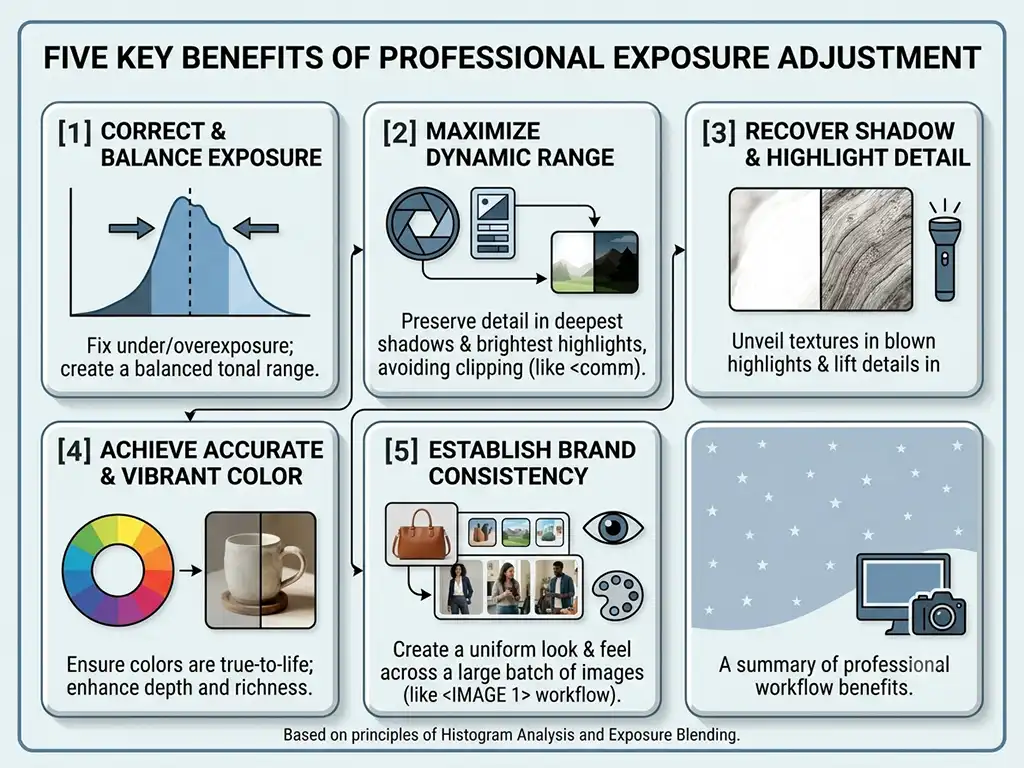
- Consistent tonal standard across batches — every image in a gallery or product catalog holds the same exposure level, even across thousands of photos shot under variable conditions
- A correct foundation for further editing — retouching, compositing, color grading, and HDR blending all produce better results when built on properly exposed source images
- Fewer product returns for ecommerce — accurate exposure means product color reads correctly, and customers receive what they expected
- Faster time to publish — correctly exposed, properly formatted images go directly to your platform without rework or re-submission
- Scalable to any volume — the same accuracy and quality standard whether you send 10 images or 10,000
Exposure Adjustment Pricing
Starter Project
Individuals and small batches
$0.40
/per image
Volume Pro
Bulk orders needing professional consistency
$0.30
/per image
Advanced
Large-scale and RAW workflows
Custom
See the full Clarity Edit pricing page for a complete breakdown, or request a custom quote for specific batch volumes.
Related Services
Exposure adjustment is one of six foundational corrections covered under our basic image adjustments services. The other five — each available as a dedicated service — are:
- Color Correction — adjusts hue, saturation, and tonal accuracy after exposure has been set
- White Balance Correction — removes orange or blue color casts caused by mismatched lighting conditions
- Cropping and Resizing — reframes and resizes images to exact platform specifications
- Sharpen Image — restores edge definition and fine detail lost to compression or lens softness
- Noise Reduction — removes grain and sensor noise from high-ISO and low-light photographs
For product-specific workflows, see our ecommerce image editing services. For property photography, see real estate photo editing. For high-volume outsourcing, see bulk photo editing.
Frequently Asked Questions
Exposure adjustment is the process of correcting the overall brightness and tonal balance of a photograph — fixing underexposed shadows, recovering blown-out highlights, and setting the correct relationship between the darkest and lightest areas of the image. It is applied globally, meaning it affects the entire frame, and it is always the first correction applied before color work or retouching begins.
Exposure adjustment fixes how bright or dark an image is and how the tonal range is distributed across the histogram. Color correction fixes the accuracy of colors — hue, saturation, and tonal cast — after the exposure baseline has been set. The two are related but distinct steps, and doing them in the wrong order produces compounding errors. Our color correction service covers that second step in detail.
Camera metering systems calculate exposure based on the average brightness of a scene. In high-contrast situations — a backlit subject, an interior with bright windows, a shoot that runs across changing natural light — the metering system makes a compromise that leaves part of the image incorrectly exposed. Mixed artificial and natural lighting, incorrect flash settings, and high-ISO shooting in low light all produce similar problems. Exposure adjustment corrects the final image regardless of what caused the original issue.
We accept JPEG, PNG, TIFF, PSD, and most RAW formats, including CR2, CR3, NEF, ARW, and DNG. We deliver corrected files in your preferred format — JPEG for web, TIFF for print, or layered PSD for further editing.
Most orders are delivered within 24 hours. Larger batches receive a confirmed timeline before work begins. Rush delivery is available on request for time-sensitive projects.
Pricing starts at $0.40 per image on the Starter plan and drops to $0.30 per image on Volume Pro for bulk batches. Large-scale and RAW-based workflows receive custom pricing. You can request a quote for an exact estimate based on your volume and requirements.
Separately. Highlights and shadows are independent tonal regions and are corrected independently — each adjusted based on what that specific region of the image needs. Recovering blown-out window highlights requires a different adjustment than lifting detail from dark shadow areas. Treating them as a single correction produces flat, low-contrast results.
Our exposure adjustment workflow is human-led. Trained editors make the key exposure decisions and review every result. Carefully tested presets or AI-assisted tools may support suitable technical steps when appropriate, but they do not replace image-specific refinement, quality control, or final approval by an experienced editor.
Yes. RAW files contain the most tonal data and give editors the most latitude to correct exposure without introducing noise or compression artifacts. JPEG files can also be corrected within the limits of the data they contain. For large batches with significant exposure problems, RAW processing is recommended. Our Advanced plan covers RAW file workflows with dedicated colorist support.
Yes. We will adjust a sample image at no charge so you can evaluate tonal accuracy, highlight and shadow detail, and overall quality before committing to a full order. No credit card is required. Start your free trial here.
Have a project in mind?
Send us your images and editing requirements. Our team will review the files, recommend the right editing approach, and provide a custom quote. You may also test our quality with eligible sample images before placing a paid order.