
Professional Image Sharpening
for Clear, Natural Detail
Blurry edges and soft focus can weaken product detail, credibility, and client trust. Clarity Edit’s professional sharpen image service uses a human-led workflow in Adobe Photoshop and Lightroom to improve edge definition, texture, and fine detail while keeping the result natural.
Each image is assessed for its subject, resolution, noise level, and intended output. Carefully tested settings or AI-assisted tools may support suitable technical steps when appropriate, while a trained retoucher remains responsible for sharpening decisions, selective masking, refinement, artifact control, and final review. With a 24-hour turnaround and a free two-image trial, getting started takes minutes.
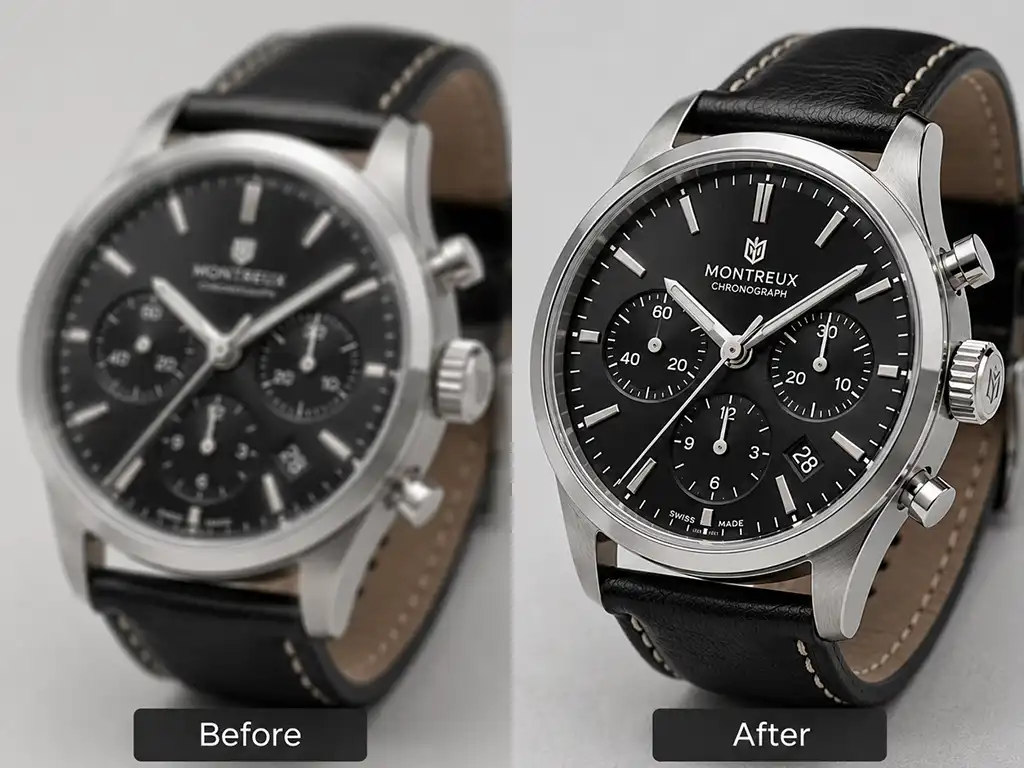
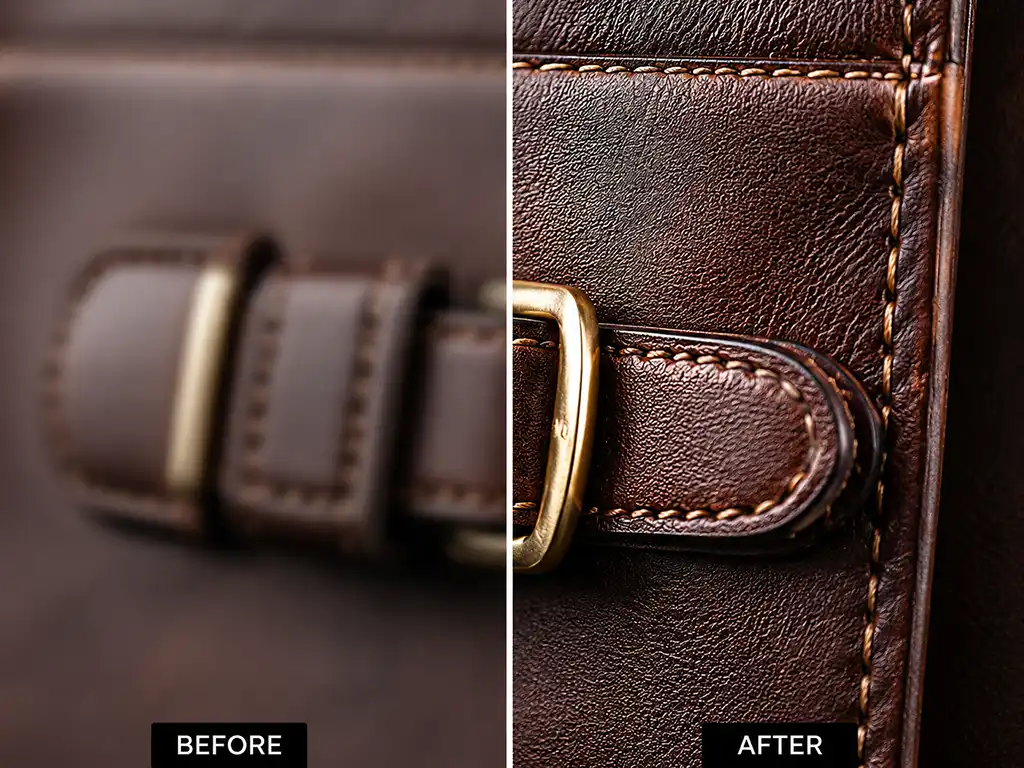
What Is Sharpen Image Editing?
Image sharpening is a photo editing technique that increases the contrast along the edges and fine details in a photograph, making it appear crisper, clearer, and more defined. It does not add new detail to an image — it enhances the visibility of what is already there.
When a photo is taken with a slightly imperfect focus, compressed during upload, or resized for a new format, fine details can soften or blur. A professional sharpen image process brings those details back: fabric textures, product edges, hair strands, architectural lines, skin pores in portraits, and surface finishes in jewelry or electronics.
Used correctly, sharpening makes images look polished and professional. Applied too aggressively, it can introduce halo artifacts, amplify noise, and create an unnatural result. A human-led workflow allows the sharpening method, strength, masking, and output settings to be selected for the specific image, while carefully tested tools may support suitable technical steps without replacing editor judgment.
At Clarity Edit, our editors assess each image individually and apply sharpening that fits the image type, its intended output (web, print, or high-resolution display), and your brand’s visual standards.
Why Choose Clarity Edit to Sharpen Image Files?
With 12+ years of photo editing experience, 700+ satisfied clients across the USA and Europe, and 500+ completed projects, Clarity Edit is a trusted partner for businesses and photographers who need consistent, high-quality results at scale.
Human-Edited Quality
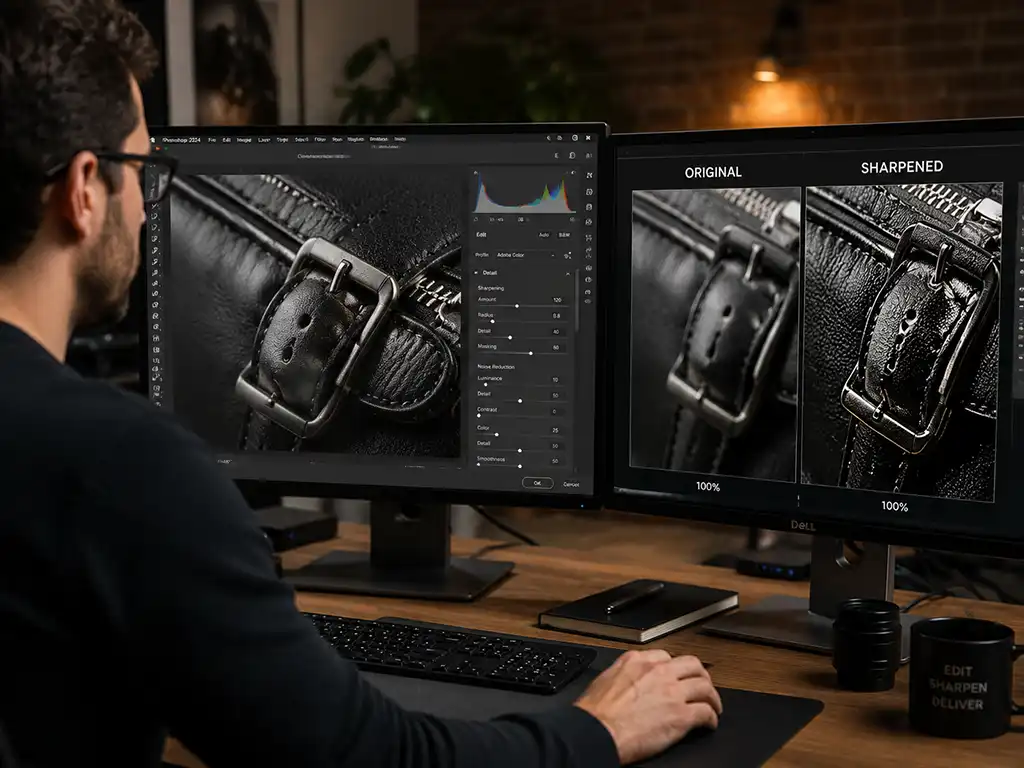
Every project follows a human-led workflow. A trained retoucher evaluates the image, chooses where sharpening should be applied or restrained, protects skin and smooth areas, and checks consistency across the set. Carefully tested settings or AI-assisted tools may support suitable technical steps, while the retoucher remains responsible for refinement and final quality control.
Fast 24-Hour Turnaround
Most projects are delivered within 24 hours. For larger bulk orders — 500+ images per week — we scale our team to your timeline without compromising accuracy. If you have a tight deadline, contact us before placing your order and we will confirm your turnaround window in writing.
Affordable Pricing with Bulk Discounts
Our pricing is straightforward and competitive. The larger your order, the lower the per-image cost. Whether you are sending 10 product shots or 2,000 catalog images, you receive the same level of care and quality at a price that works for your budget.
Accuracy and Attention to Detail
Sharpening is not one-size-fits-all. A product on a white background requires a different approach than a landscape, a fashion editorial, or a real estate interior. Our editors evaluate each image against your requirements and apply the right sharpening method, strength, and mask to deliver accurate, consistent results across your entire set.
Secure and Confidential File Handling
Your image files are handled with strict confidentiality. We do not share, publish, or reuse client images without written permission. File transfers use secure channels, and project data is managed with care throughout the editing process.
In-Scope Revision Support
If a result does not match the agreed brief, request a revision within the review period stated in your quote. Eligible in-scope revisions are completed at no extra charge.
Types of Sharpen Image Service
Not all sharpening techniques work the same way. The right method depends on the image type, the problem causing the softness, and where the image will be used. Clarity Edit offers four distinct sharpening approaches, each applied when it is the right tool for the job.
Global Image Sharpening (Unsharp Mask)
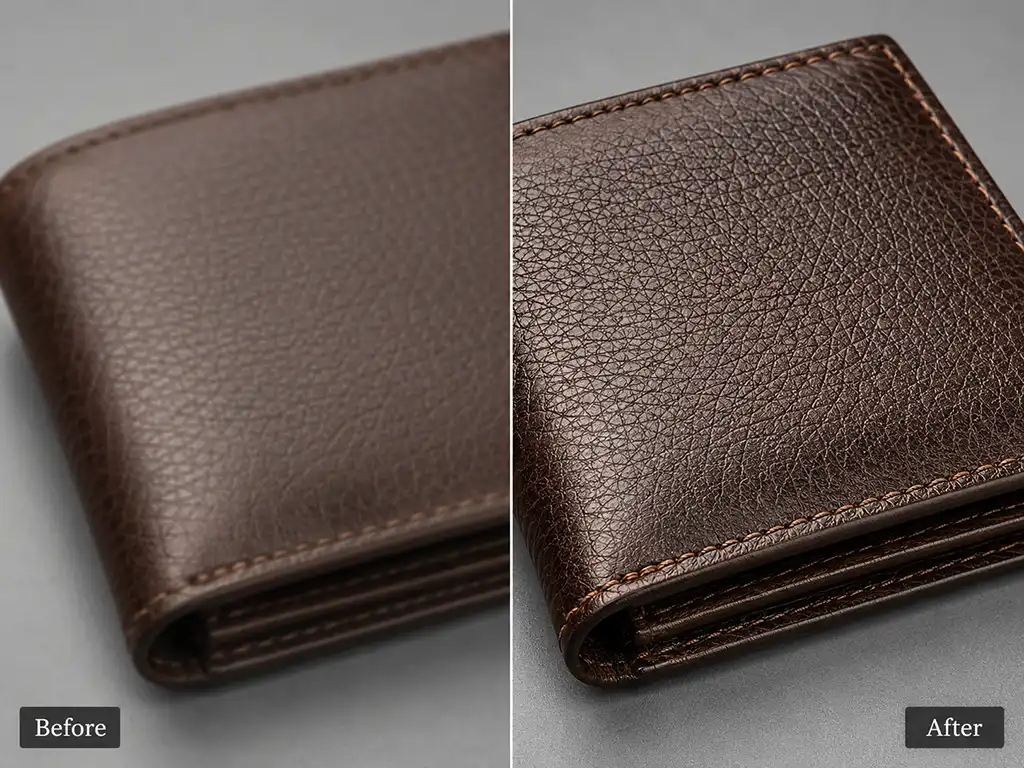
Unsharp Mask is the most widely used sharpening method in professional photo editing. Despite its counterintuitive name — rooted in a traditional darkroom technique — it sharpens by increasing contrast between adjacent pixels along edges.
Our editors adjust three parameters for each image: Amount (how much contrast is added), Radius (how many pixels around each edge are affected), and Threshold (how different two pixels must be before sharpening is applied). This level of control prevents over-sharpening and the halo artifacts that come from applying too aggressive a setting.
Unsharp Mask is ideal for product images, still-life photography, and general catalog sharpening where consistent, moderate enhancement is needed across a full batch.

Smart Sharpen
Smart Sharpen gives editors more granular control over how sharpening is applied to the highlight and shadow regions of an image. Unlike Unsharp Mask, it allows our team to select the type of blur being corrected — lens blur, motion blur, or Gaussian blur — and apply the most appropriate algorithm.
This method also includes noise reduction controls, which means sharpening can be applied without amplifying existing grain or digital noise in darker areas. Smart Sharpen is particularly effective for portrait photography, fashion imagery, and any image where maintaining smooth skin tones while sharpening clothing or background detail is required.

High-Pass Sharpening
High-Pass is a non-destructive sharpening technique applied on a separate editing layer. It works by isolating the fine edge detail in an image and blending that detail layer back onto the original using a blend mode such as Overlay or Soft Light.
Because it operates independently of the base image, High-Pass sharpening is easy to control and easy to reverse. It produces a natural, defined result with a very low risk of halo artifacts. It is the preferred method for fine-detail work: jewelry, textiles, product close-ups, and images where edge precision is critical without creating an artificial or over-processed look.
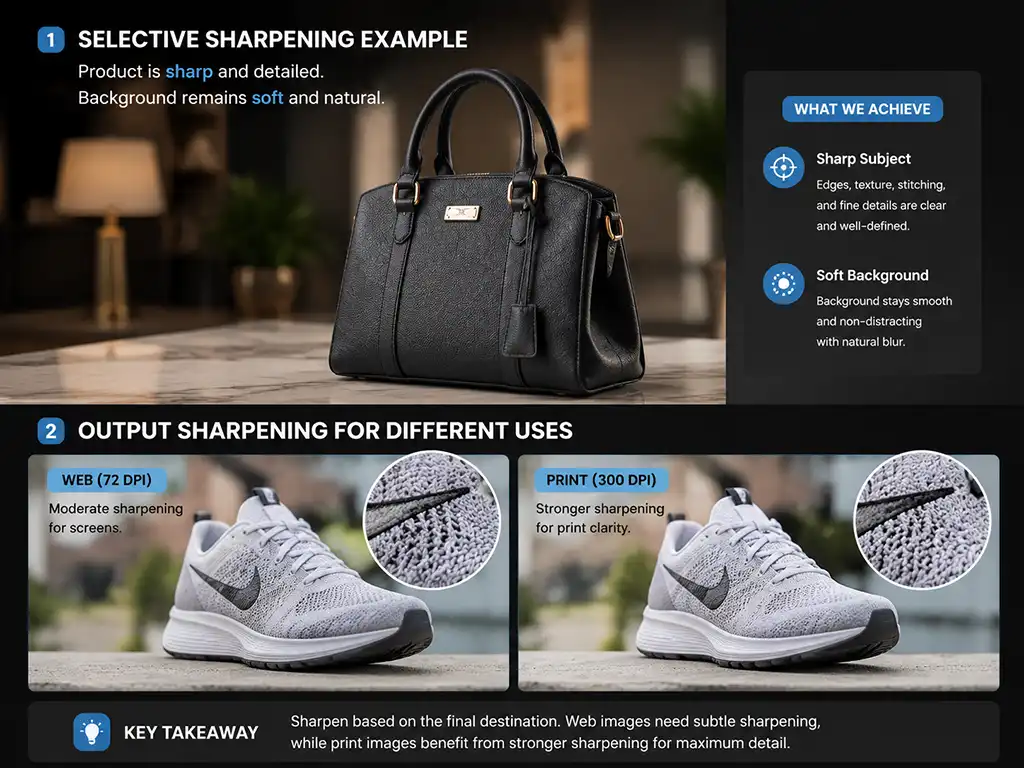
Selective and Output Sharpening
Selective sharpening focuses enhancement on specific areas of an image rather than applying a global filter. An editor might sharpen the edges of a product while leaving the background soft, or sharpen the eyes and collar in a portrait while keeping skin smooth.
Output sharpening is a final-stage process applied after all other edits are complete and the image has been resized for its destination — web, social media, print, or high-resolution display. Different output formats require different sharpening approaches: a 72 DPI web image needs less sharpening than a 300 DPI print file. Our editors apply the correct output sharpening for each intended use case, so your images look correct wherever they appear.
Industries We Serve
Clarity Edit’s sharpen image service is built for teams and businesses that produce images at volume and cannot afford inconsistent results.
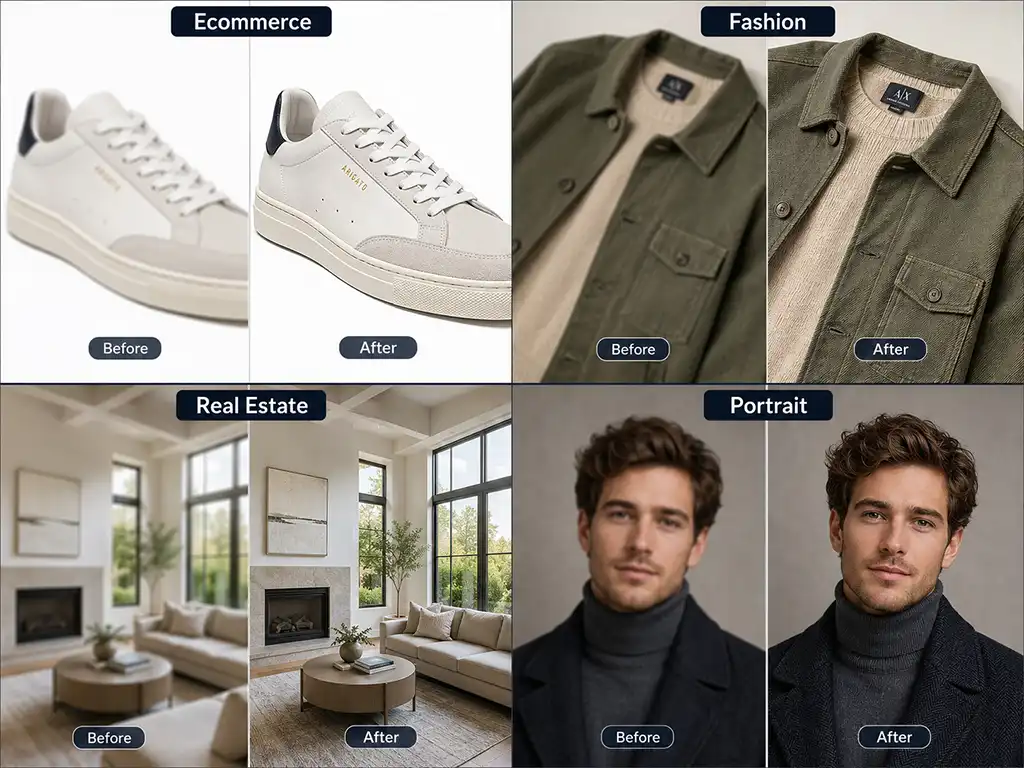
Ecommerce Businesses
Product images on ecommerce platforms are the first and often the only point of physical impression a buyer has. Sharp edges, defined textures, and clear surface detail communicate quality and build purchase confidence. We support Amazon, Shopify, eBay, Etsy, and custom ecommerce store sellers with platform-ready sharpened images that meet marketplace standards.
Professional Photographers
Photographers shooting events, portraits, products, or commercial work regularly deal with images that lose some sharpness during compression, format conversion, or batch export. Our post-production sharpening service fits cleanly into your existing workflow — just send the files, specify the output destination, and receive delivery-ready images within 24 hours.
Fashion Brands and Retailers
In fashion photography, fabric texture, stitching, and surface finish are part of the product story. Our sharpening service enhances these details on apparel, footwear, accessories, and flat-lay photography while keeping texture natural and avoiding an artificial or over-processed appearance.
Creative and Marketing Agencies
Agencies working on campaigns, lookbooks, and digital advertising need a reliable editing partner they can count on for quality and speed. Clarity Edit handles bulk sharpening orders for agencies serving retail, consumer goods, food and beverage, and lifestyle brands.
Real Estate Companies and Photographers
Property listings depend on clear, crisp images. A slightly soft interior shot can look poorly lit or unprofessional, reducing buyer engagement. Our real estate image sharpening service enhances architectural lines, window detail, and room definition to produce listings that attract attention and encourage inquiries.
Our Sharpen Image Workflow
Every project follows the same structured process, designed to deliver accurate results the first time.
Upload Your Images
Send your files through our secure upload portal. We accept JPEG, PNG, TIFF, PSD, and RAW file formats. For bulk orders, provide a sample image and your specific sharpening requirements so our team can calibrate the approach before processing the full batch.
Requirement Analysis
Before editing begins, your project brief is reviewed by a senior editor. We confirm the image type, intended output, sharpening method, and any specific instructions — such as protecting skin tones, maintaining background softness, or targeting specific product areas. This step prevents costly rework and ensures alignment before the first file is opened.
Human-Led Editing
Trained retouchers sharpen images in Adobe Photoshop or Lightroom using methods suited to the content and intended destination. Carefully tested settings or AI-assisted tools may support suitable steps, especially in consistent batches, while each result is reviewed and adjusted for edge definition, noise, halos, skin texture, and output quality before delivery.
Quality Check & Delivery
Every completed image passes through a dedicated quality control review before delivery. Our QC team checks for halo artifacts, noise amplification, unintended color shifts, and consistency across the batch. Files are delivered to you in your preferred format within the agreed turnaround window, along with a revision request process if any adjustments are needed.
Benefits of Professional Image Sharpening
Professional image sharpening provides controlled detail enhancement tailored to the image’s subject, resolution, noise level, output size, and intended use.
- Improved product detail visibility — Customers can see fabric weave, material finish, and surface texture clearly, which reduces purchase hesitation and return rates.
- Consistent quality across large catalogs — A human-led workflow accounts for differences in subject matter, resolution, noise, and output destination while maintaining a consistent visual standard.
- Optimized for your output destination — Web images, print files, and high-resolution display assets each require different sharpening strengths. We apply the correct level for each output format.
- Reduced noise and artifact risk — Over-sharpening amplifies grain, creates edge halos, and degrades image quality. Our editors know exactly where the threshold is — and stay on the right side of it.
- Faster content production — Outsourcing your sharpening workflow frees your team to focus on shooting, creative direction, and client management rather than post-production.
- Higher conversion rates on product listings — Sharp, professional product images build trust and communicate quality. Studies consistently show that image clarity is one of the top factors affecting purchasing decisions on ecommerce platforms.
- Brand consistency — A professionally sharpened image library reinforces brand quality across every channel — website, marketplace, social media, and print.
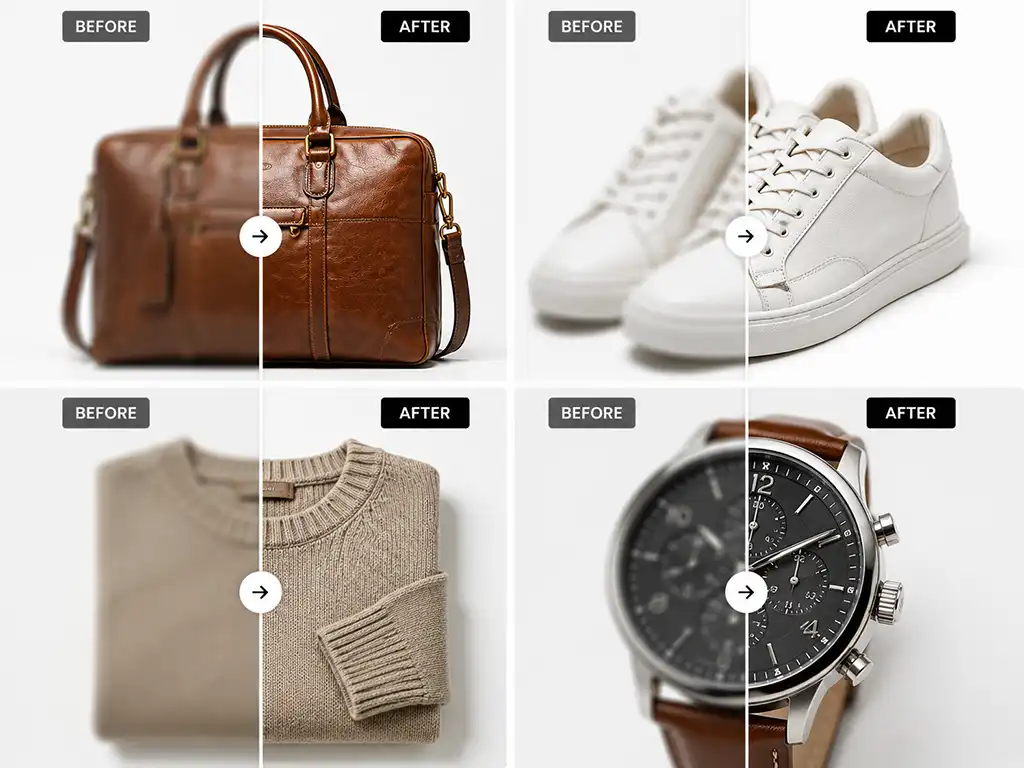
What to Avoid: Common Sharpening Mistakes
Understanding what can go wrong helps you evaluate whether your current workflow is producing results that are actually helping your images — or quietly damaging them.
- Over-sharpening is the most common problem. It creates bright halos around edges, amplifies grain in shadow areas, and gives images an artificial, crunchy appearance. It is particularly noticeable on skin, solid-color backgrounds, and fabric.
- Sharpening before resizing is a workflow error that compounds over time. If an image is sharpened at full resolution and then scaled down for web use, the sharpening effect is amplified unpredictably. The correct order is: resize first, then apply output sharpening.
- Applying global sharpening to noisy images is another common mistake. Sharpening increases the contrast between adjacent pixels — which means it also increases the visibility of noise. Images with high ISO grain, low-light noise, or JPEG compression artifacts should be treated with noise reduction before any sharpening is applied.
- Using the same sharpening settings for every image ignores the fact that different images, resolutions, and output destinations each require different treatment. A one-size-fits-all approach is a hallmark of automated processing, and it shows in the results.
Related Services
Sharpening works best as part of a complete image quality workflow. If your images need more than clarity, Clarity Edit offers the following related editing services:
- Color Correction — Fix white balance, exposure inconsistencies, and color casts to ensure accurate, true-to-life product representation.
- Noise Reduction — Reduce grain, digital noise, and JPEG compression artifacts before sharpening is applied.
- Exposure Adjustment — Correct underexposed or overexposed images to restore detail in highlights and shadows.
- Cropping and Resizing — Resize and format images for specific platforms, aspect ratios, and output destinations.
- White Balance Correction — Neutralize color temperature problems caused by mixed lighting, artificial light sources, or incorrect in-camera settings.
- Photo Retouching Services — Full-service retouching for portraits, fashion, and product photography.
- Background Removal — Clean, precise background removal for product and ecommerce images.
- Bulk Photo Editing — High-volume editing for catalogs, agencies, and ecommerce brands with consistent, scalable output.

What Our Clients Say
Alex Johnson
E-commerce Manager
“Clarity Edit truly lives up to its name. Every image they touch comes back looking incredibly professional, vibrant, and perfectly polished. They’ve helped us elevate our product photography and real estate listings, leading to noticeable engagement. A definite game-changer.”
Sarah Lee
Fashion Brand Owner
“Clarity Edit delivered an excellent job. Communication was fast and efficient. I would recommend them and certainly return for further projects.”
Michael T.
Real Estate Photographer
“Clarity Edit is my go-to for bulk photo editing. Their fast, high-quality work makes every property shine — bright, spacious, and market-ready.”
Frequently Asked Questions About Our Sharpen Image Service
Professional image sharpening is a controlled process that increases contrast along edges and fine details to make a photograph appear clearer and more defined. At Clarity Edit, the workflow is human-led: a trained editor selects the method, strength, masking, and output settings for the image. Carefully tested settings or AI-assisted tools may support suitable technical steps, while every result is reviewed for halos, noise amplification, color shifts, and overall quality.
These are three distinct techniques used to sharpen image files, each with different strengths. Unsharp Mask is a global filter that increases edge contrast across the entire image and is ideal for batch product photography. Smart Sharpen offers more control over shadow and highlight sharpening and is well-suited to portraits and fashion images. High-Pass sharpening is a non-destructive, layer-based technique that isolates edge detail and blends it back in — producing a natural result with minimal halo risk, ideal for fine-detail work like jewelry or textiles.
Sharpening can improve the appearance of mildly soft or slightly out-of-focus images by enhancing edge contrast and detail. However, it cannot correct severe camera shake, deep focus blur, or motion blur — these are optical problems that sharpening alone cannot resolve. If an image is significantly blurry, our team will advise you before processing so you can make an informed decision.
We accept JPEG, PNG, TIFF, PSD, and RAW file formats (including CR2, CR3, NEF, ARW, and DNG). If you are working with a format not listed here, contact us and we will confirm compatibility before your project begins.
Our editors apply sharpening conservatively and evaluate results at 100% zoom before finalizing each image. We use techniques such as blending mode adjustment (switching to Luminosity to prevent color shifts), masking to exclude smooth areas, and threshold controls to limit sharpening to genuine edge areas. Every completed image passes through a quality control review specifically checking for halos, noise amplification, and unnatural edge rendering.
Yes. Web and print images require different levels of sharpening because they are viewed at different resolutions and rendered differently by screens and printing equipment. For web output, we apply output sharpening calibrated for 72–96 DPI screen rendering. For print, sharpening is adjusted for 300 DPI or higher, accounting for how ink dots interact with paper texture. Please specify your intended output when submitting your project.
Clarity Edit handles projects of all sizes — from a single image to 10,000+ files. Most standard projects are delivered within 24 hours. For large bulk orders of 500 or more images, turnaround time is confirmed before editing begins. Contact us with your volume and deadline and we will build a schedule that fits.
Yes. Clarity Edit offers a free trial for two images with no commitment required. Submit your images at clarityedit.com/free-trial and receive professionally sharpened results so you can evaluate the quality before placing a full order.
Pricing is based on image volume, complexity, turnaround time, and the specific sharpening requirements of your project. Bulk orders receive discounted per-image rates. Projects requiring selective masking, high-resolution print output, or complex multi-layer editing are priced accordingly. For an accurate quote, use our Request a Quote form and provide details about your image set.
Lightroom’s auto-sharpen applies a fixed algorithm based on average pixel data — it does not understand what is in your image, what output it is destined for, or where to protect detail and where to enhance it. A professional sharpen image service evaluates each photograph individually, selects the appropriate technique, applies selective masking where needed, and reviews the result for artifacts before delivery. The difference is visible, particularly in fine-detail work, large-format print, and batch consistency across a product catalog.
Have a project in mind?
Send us your images and editing requirements. Our team will review the files, recommend the right editing approach, and provide a custom quote. You may also test our quality with eligible sample images before placing a paid order.